
If your phone says storage is full, you are not alone.
This is one of the most common smartphone problems.
When storage becomes full, your phone may:
- run slowly
- stop downloading apps
- fail to take photos
- stop updating properly
The good news is:
👉 You can usually free up space very easily.
This guide will show you simple steps to clear storage safely.
You do not need any technical knowledge.
Why Does Phone Storage Become Full?
Your phone stores:
- photos
- videos
- apps
- messages
- downloads
Over time, these files build up and take space.
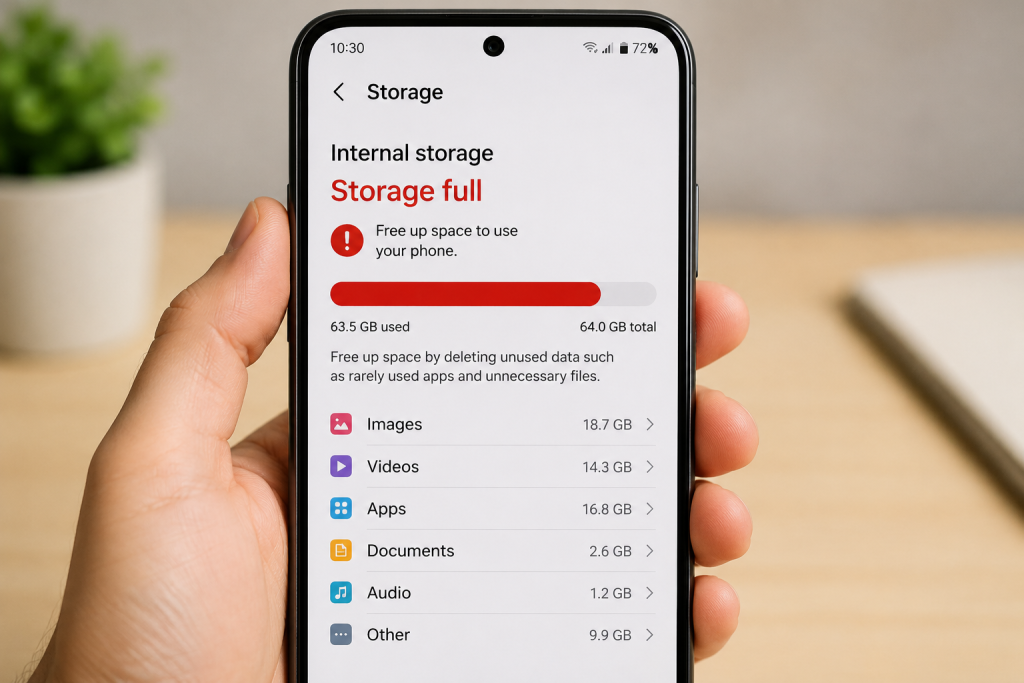
Step 1: Delete Unwanted Photos and Videos
Photos and videos often use the most space.
Start by removing:
- blurry photos
- duplicate pictures
- unwanted videos
You can also move important photos to cloud storage.
Step 2: Remove Apps You Don’t Use
Many phones contain apps you no longer need.
Deleting unused apps can quickly free space.
To remove an app:
- touch and hold the app
- press Remove or Uninstall
- follow the instructions on screen

Step 3: Clear Your Downloads Folder
Your downloads folder may contain:
- old documents
- images
- PDFs
- files you no longer need
Deleting these files can help free storage space quickly.
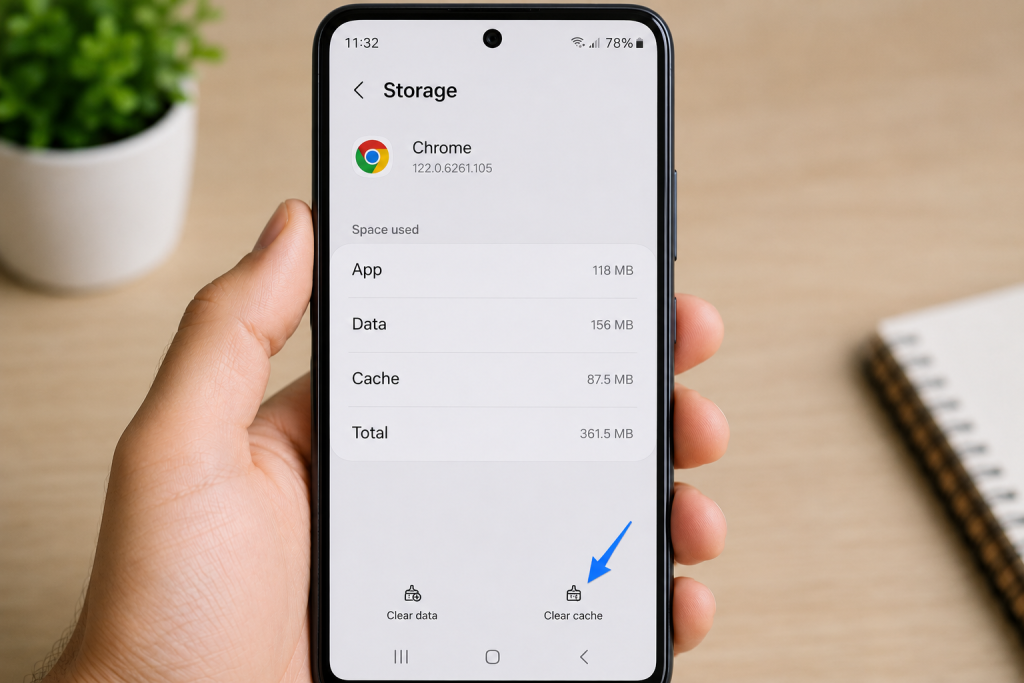
Step 4: Clear App Cache
Apps store temporary files called cache.
Over time, these files build up and take space.
Clearing cache can improve storage and performance.
Usually:
- open Settings
- choose Apps
- select an app
- press Storage
- press Clear Cache
Step 5: Restart Your Phone
Restarting your phone can clear temporary files and help it run more smoothly.
Try restarting your phone after cleaning storage.
How Much Free Space Should I Have?
It is good to keep some free storage available.
If your phone becomes almost completely full, it may:
- slow down
- freeze
- stop updating apps properly

Common Questions
Why is my phone storage full even after deleting photos?
Apps and temporary files may still be using space.
You may also have deleted photos stored in a Recently Deleted folder.
Will deleting apps remove my photos?
No. Apps and photos are usually stored separately.
Can full storage stop my phone working properly?
Yes. Phones often become slower when storage is almost full.
Simple Tips to Avoid Full Storage
- Delete unwanted photos regularly
- Remove apps you no longer use
- Empty your downloads folder
- Clear cache occasionally
- Back up important photos
You Are Not Alone
Phone storage problems are very common.
Most can be improved with a few simple steps.
Take your time and work through one step at a time.
You May Also Find These Helpful
- How to Send Photos From Your Phone
- How to Close Apps on a Smartphone
- How to Move Apps to Your Home Screen
- Why Won’t My Phone Send Photos?
- How to Take a Screenshot on a Phone
- How to Connect Bluetooth Headphones (Easy Beginner Guide)
- What Is Alexa and How Does It Work? (Simple Beginner Guide)
- Why Is My Phone Storage Full? (Easy Beginner Fix Guide)
- How to Zoom: Essential Tips for Smooth Video Calls Every Time
- Is Your Browser Slow? Here’s How to Clear Cache (Easy Fix Guide)