
If your phone is not sending photos, it can feel frustrating — but don’t worry, this is a very common problem.
In most cases, the issue is simple and easy to fix.
This guide will show you the most common reasons and what to do.
Before You Start
- You have not broken anything
- This problem happens to many people
- Most fixes take less than a minute
- You can try each step safely
Take your time and go step by step.
1. Check Your Internet Connection
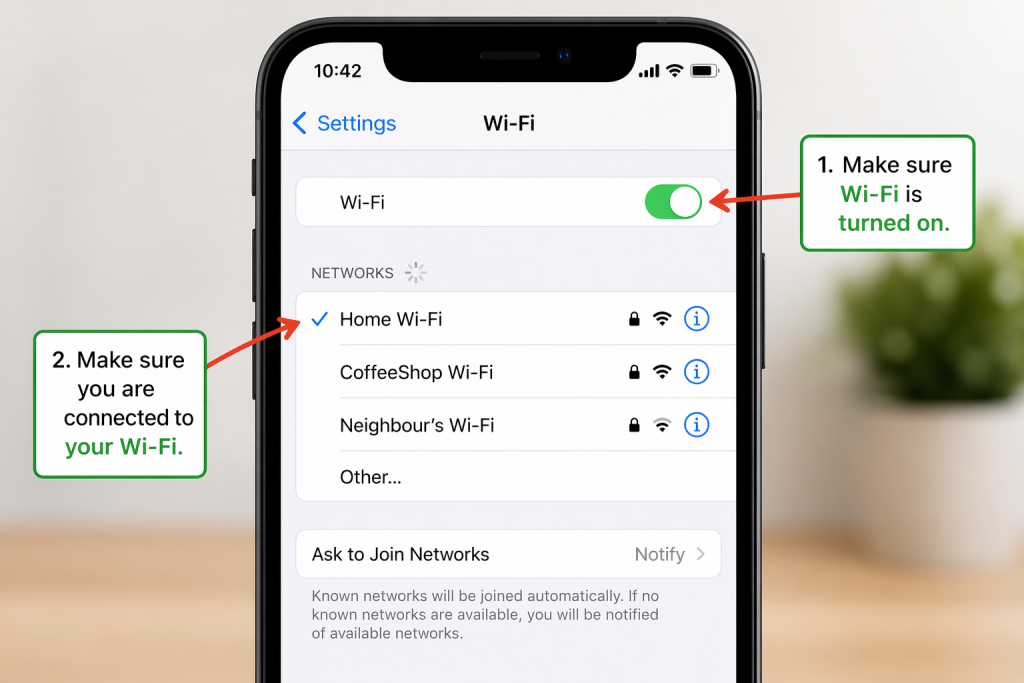
Photos need internet to send.
Check:
- Is your WiFi turned on?
- Or is mobile data turned on?
If not:
- Turn WiFi or mobile data on
- Try sending the photo again
2. The Photo Might Be Too Large
Large photos can fail to send.
Try:
- Sending fewer photos
- Sending one photo at a time
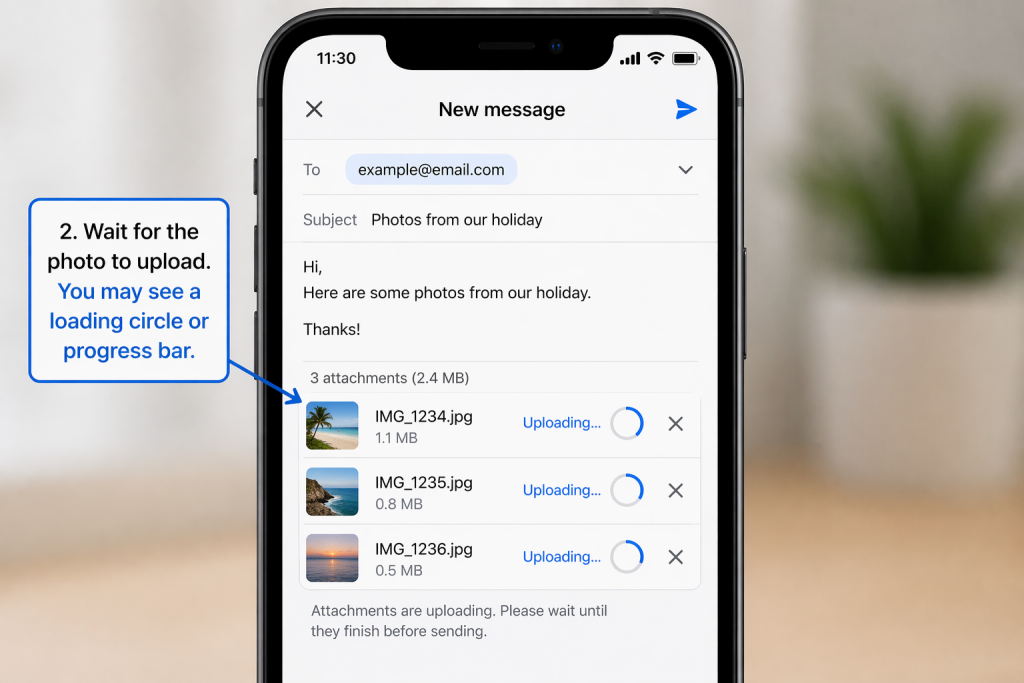
3. Wait for the Photo to Upload
Sometimes photos take time.
You may see:
- A loading circle
- A progress bar
Wait until it finishes before sending.
4. Restart Your Phone
This can fix many small problems.
To restart:
- Turn your phone off
- Turn it back on
- Try sending again
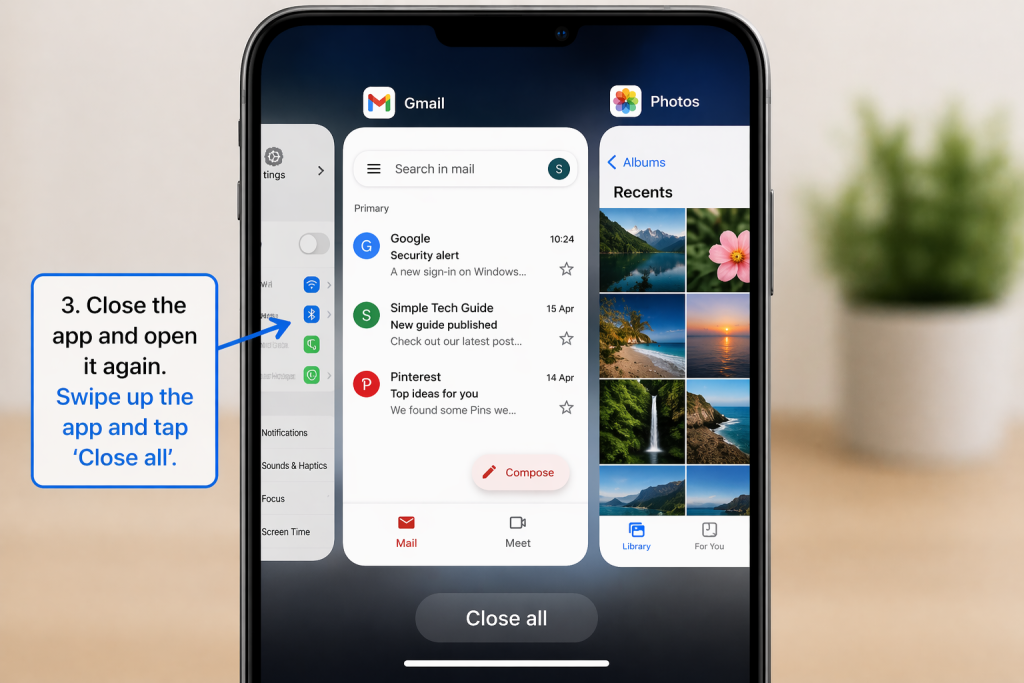
5. Check Your Email or Message App
Sometimes the app has a problem.
Try:
- Closing the app
- Opening it again
- Trying again
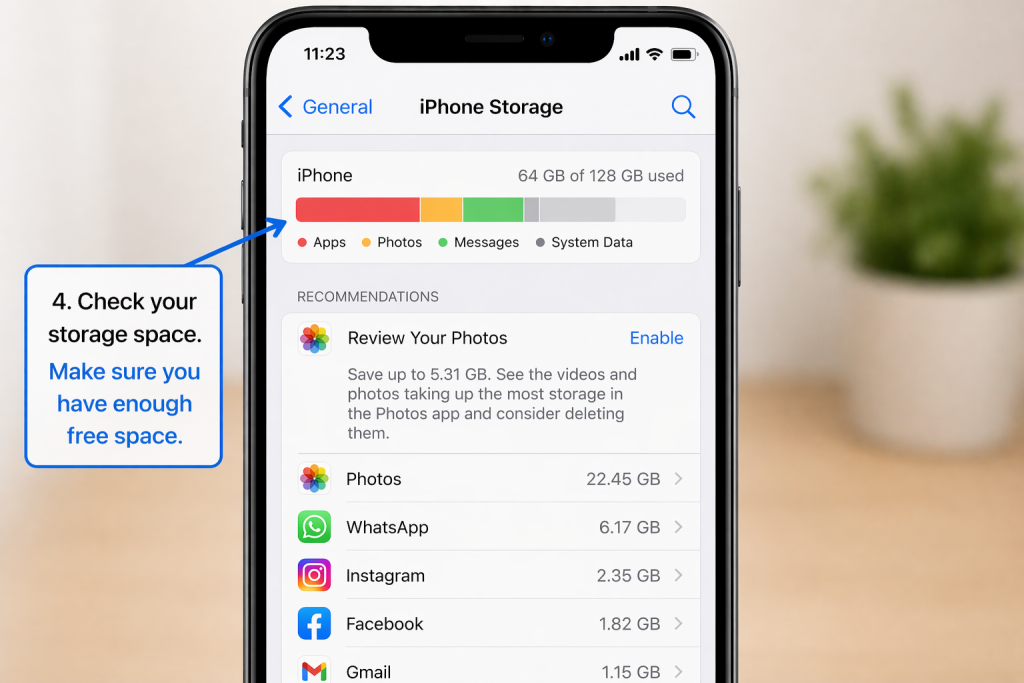
6. Check Storage Space
If your phone is full, photos may not send.
Check:
- Do you have free space?
If not:
- Delete a few photos or apps
- Try again
Common Questions
Why does it say “failed to send”?
This usually means:
- No internet
- File too large
- App issue
Can I still send photos?
Yes — try again after checking the steps above.
Why are photos slow to send?
This can happen if:
- Internet is slow
- Photos are large
Good to Know
- This is a very common issue
- Most problems are easy to fix
- You can always try again
- Nothing is permanently broken
Take your time — you are doing fine.