
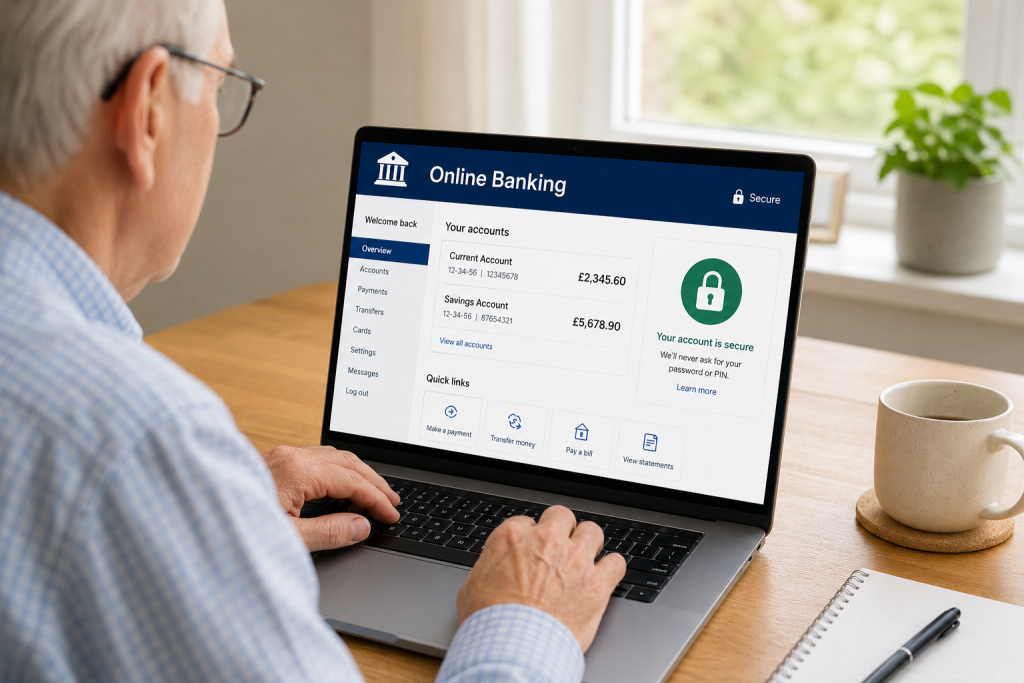
Online banking allows you to check your balance, transfer money, pay bills and manage your finances without visiting a bank branch.
Millions of people in the UK use online banking every day, and when used correctly, it is generally very safe.
However, scammers are constantly looking for ways to trick people into giving away passwords, bank details and security information.
In this beginner-friendly guide, you’ll learn how to bank online safely and avoid the most common scams.
What Is Online Banking?
Online banking allows you to access your bank account using:
- A computer
- A smartphone
- A tablet
You can usually:
✅ Check your balance
✅ Transfer money
✅ Pay bills
✅ View statements
✅ Set up direct debits
✅ Manage savings accounts
Most major UK banks offer online banking and mobile banking apps.
Is Online Banking Safe?
Yes.
Banks spend millions of pounds every year protecting customer accounts.
Most banks use:
- Encryption
- Secure login systems
- Fraud monitoring
- Two-factor authentication
- Security checks
However, the biggest risk is often scammers trying to trick customers.
That’s why learning safe habits is so important.
Use Strong Passwords
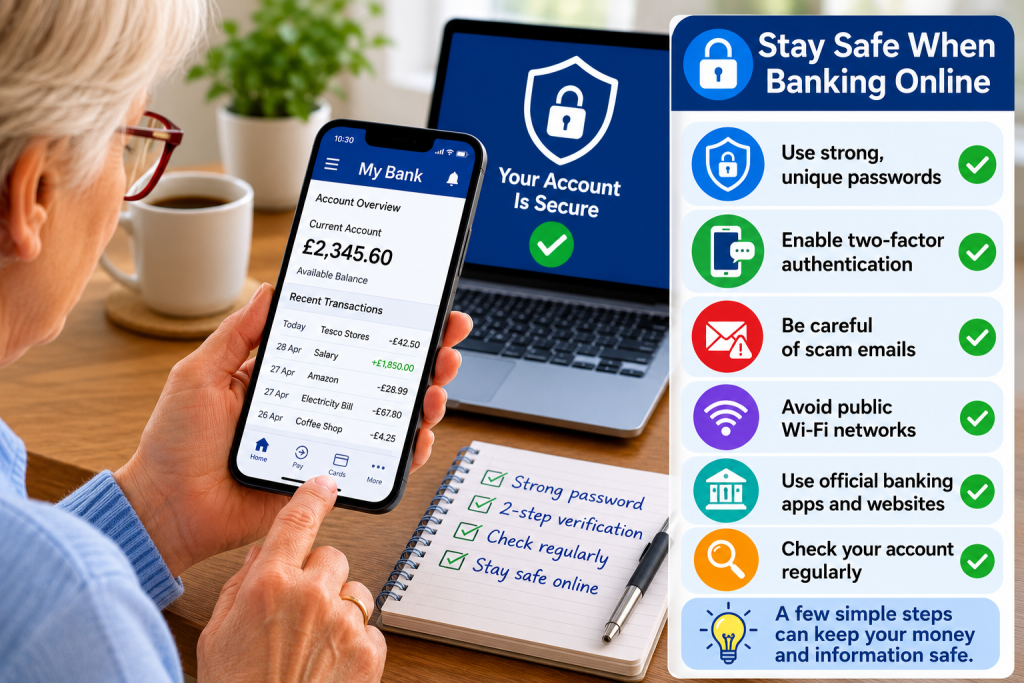
Your password is the first line of defence.
A good password should:
✅ Be difficult to guess
✅ Contain a mix of letters and numbers
✅ Be different from other passwords
Avoid using:
❌ Birthdays
❌ Pet names
❌ Simple passwords such as “123456”
❌ The same password on multiple websites
If one account is compromised, scammers may try the same password elsewhere.
Enable Two-Factor Authentication
Many banks offer an extra layer of security called Two-Factor Authentication (2FA).
This means you may need:
- A password
- A text message code
- A banking app approval
Even if somebody learns your password, they should not be able to access your account without the second security step.
Only Use Official Banking Apps
If you bank on your smartphone or tablet:
✅ Download apps from official app stores
✅ Check the app is published by your bank
Never install banking apps from links in emails or text messages.
Beware of Scam Emails
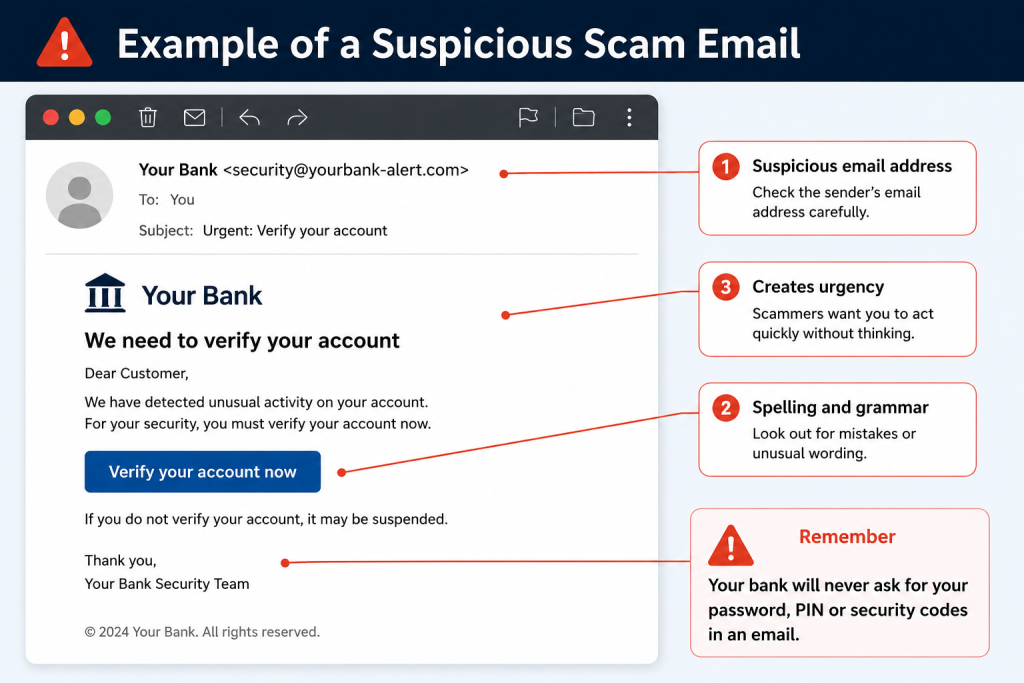
One of the most common scams involves fake emails pretending to be from banks.
Scam emails often claim:
- Your account has been suspended
- Suspicious activity has been detected
- You need to verify your details
The email usually contains a link to a fake website.
Remember
Your bank will never ask for:
❌ Your full password
❌ Your PIN
❌ Security codes via email
Never Click Banking Links in Emails or Text Messages
Instead of clicking a link:
✅ Open your banking app directly
or
✅ Type the bank’s website address manually
This simple habit can prevent many scams.
Check Website Security
Before entering banking information online:
Look for:
🔒 A padlock symbol
and
🔒 “https://” at the beginning of the website address
These signs indicate a secure connection.
However, scammers can sometimes create secure-looking websites, so always double-check the address.
Avoid Public Wi-Fi for Banking
Public Wi-Fi networks can be less secure.
Avoid online banking when using:
- Cafés
- Airports
- Hotels
- Shopping centres
Whenever possible:
✅ Use your home Wi-Fi
✅ Use mobile data
Keep Your Devices Updated
Software updates often contain important security fixes.
Keep updated:
- Smartphones
- Tablets
- Computers
- Banking apps
Turning on automatic updates is usually the easiest option.
Monitor Your Account Regularly
Check your account regularly for:
- Unknown payments
- Unexpected transfers
- Unusual activity
The sooner you spot a problem, the faster your bank can investigate.
Common Banking Scams to Watch For
Phishing Emails
Fake emails pretending to be from your bank.
Smishing Text Messages
Fraudulent text messages asking you to click links.
Phone Scams
Someone calls claiming to be from your bank.
Fake Websites
Websites designed to steal login details.
Investment Scams
Promises of guaranteed returns or quick profits.
If something sounds too good to be true, it probably is.
What Should I Do If I Think I’ve Been Scammed?
Act quickly.
Step 1
Contact your bank immediately.
Step 2
Change your passwords.
Step 3
Report the scam.
Step 4
Monitor your account carefully.
Most banks have dedicated fraud teams available 24 hours a day.
Frequently Asked Questions
Is Online Banking Safer Than Visiting a Branch?
Both methods can be safe.
Online banking offers strong security systems when used correctly.
Should I Save My Banking Password?
Generally, it’s safer not to write passwords down where others can find them.
A trusted password manager may help.
Can Someone Access My Bank Account Through Email?
Not directly.
However, scammers may use emails to trick you into revealing login details.
Is Mobile Banking Safe?
Yes.
Banking apps are generally very secure when downloaded from official app stores and protected with passwords or biometrics.
Final Thoughts
Online banking is convenient, secure and used by millions of people every day.
The key to staying safe is developing good habits:
✅ Use strong passwords
✅ Enable two-factor authentication
✅ Avoid suspicious links
✅ Keep devices updated
✅ Check your accounts regularly
By following these simple steps, you can enjoy the convenience of online banking while reducing the risk of fraud.
Related Guides
- How to Spot a Scam Email
- What Is Two-Factor Authentication?
- How to Create a Strong Password
- How to Shop Online Safely
- What Is Phishing?
- How to Protect Yourself From Online Scams
Latest posts:
- How to Pay for Parking With Your Phone: A Simple Beginner’s Guide
- How to Use a Car Park Payment Machine: A Simple Beginner’s Guide
- How to Use a Supermarket Self-Service Checkout: A Simple Beginner’s Guide
- What Is a Smart Speaker and How Does It Work? A Beginner’s Guide
- What Is a Smart Plug and How Does It Work? A Beginner’s Guide