Have you heard people talking about Amazon Fire Tablets but aren’t sure what they actually do?
Perhaps you’re thinking about buying one for yourself, a parent, or a grandparent.
The good news is that Amazon Fire Tablets are designed to be simple, affordable and easy to use, making them a popular choice for beginners.
In this guide, you’ll learn what an Amazon Fire Tablet is, what you can do with it, and whether it’s the right device for you.
What Is an Amazon Fire Tablet?
An Amazon Fire Tablet is a portable touchscreen computer made by Amazon.
Think of it as something between a smartphone and a laptop.
It has a larger screen than a phone, making it easier to:
- Read books
- Watch films
- Browse the internet
- Check emails
- Play simple games
- Video call family and friends
Unlike a laptop, you control everything by simply touching the screen.

What Can You Do on an Amazon Fire Tablet?
Fire Tablets are excellent for everyday activities.
You can:
📧 Send and receive emails
📖 Read Kindle books
🎬 Watch Prime Video, Netflix and BBC iPlayer
🌐 Browse the internet
📷 View photos
🎵 Listen to music
🛒 Shop on Amazon
🎮 Play games
📞 Make video calls using apps such as Zoom
📝 Read the news
Is a Fire Tablet the Same as an iPad?
No.
Although they look similar, they use different software.
| Amazon Fire Tablet | Apple iPad |
|---|---|
| Made by Amazon | Made by Apple |
| Lower price | Higher price |
| Uses Amazon Fire OS | Uses Apple’s iPadOS |
| Excellent for everyday use | More powerful for advanced tasks |
For many beginners, a Fire Tablet offers everything they need at a lower cost.
Who Is an Amazon Fire Tablet Best For?
A Fire Tablet is ideal for:
✅ Beginners
✅ Older adults
✅ Families
✅ Children
✅ Casual internet users
✅ Anyone wanting an affordable tablet
If you mainly want to browse the web, read books, watch videos and check emails, a Fire Tablet is often an excellent choice.
Can I Use the Internet?
Yes.
Every Fire Tablet includes a web browser.
Once connected to Wi-Fi, you can visit websites just like you would on a computer or smartphone.
Can I Check My Emails?
Absolutely.
You can:
- Read emails
- Reply to emails
- Send new emails
- Open attachments
- View photos
Many people use a Fire Tablet as their main email device.
Can I Read Kindle Books?
Yes.
In fact, this is one of its biggest strengths.
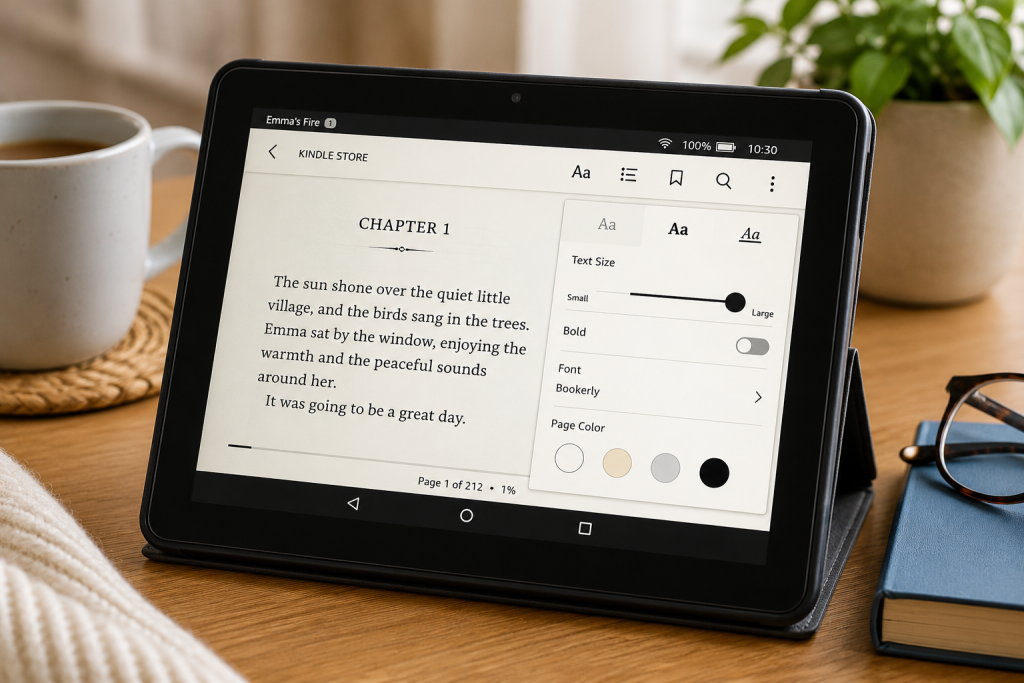
The Kindle app lets you:
📚 Buy books
📚 Download books
📚 Change text size
📚 Bookmark pages
📚 Read comfortably almost anywhere
Can I Watch Films and TV?
Yes.
Popular streaming apps include:
🎬 Amazon Prime Video
🎬 Netflix
🎬 Disney+
🎬 BBC iPlayer
🎬 ITVX
🎬 YouTube
The larger screen makes watching videos much easier than using a phone.
Can I Download Apps?
Yes.
Fire Tablets include the Amazon Appstore where you can download many popular apps.
Examples include:
📱 Messenger
📱 Zoom
📱 Spotify
📱 BBC News
📱 Microsoft Outlook
Some Google apps may not be available directly through the Amazon Appstore.
Do I Need Wi-Fi?
Usually, yes.
Most Fire Tablets connect to the internet using your home Wi-Fi.
Without Wi-Fi you can still:
- Read downloaded books
- View downloaded photos
- Play offline games
- Watch downloaded videos
How Long Does the Battery Last?
Most modern Fire Tablets provide around:
🔋 8–13 hours of typical use, depending on the model and what you’re doing.
Watching videos or playing games uses more battery than reading or browsing.
Can I Video Call Family?
Yes.
Many Fire Tablets support video calling through apps such as:
📹 Zoom
📹 Skype (where available)
📹 Messenger
Some models also support Amazon’s Alexa calling features.
Is It Easy to Use?
Yes.
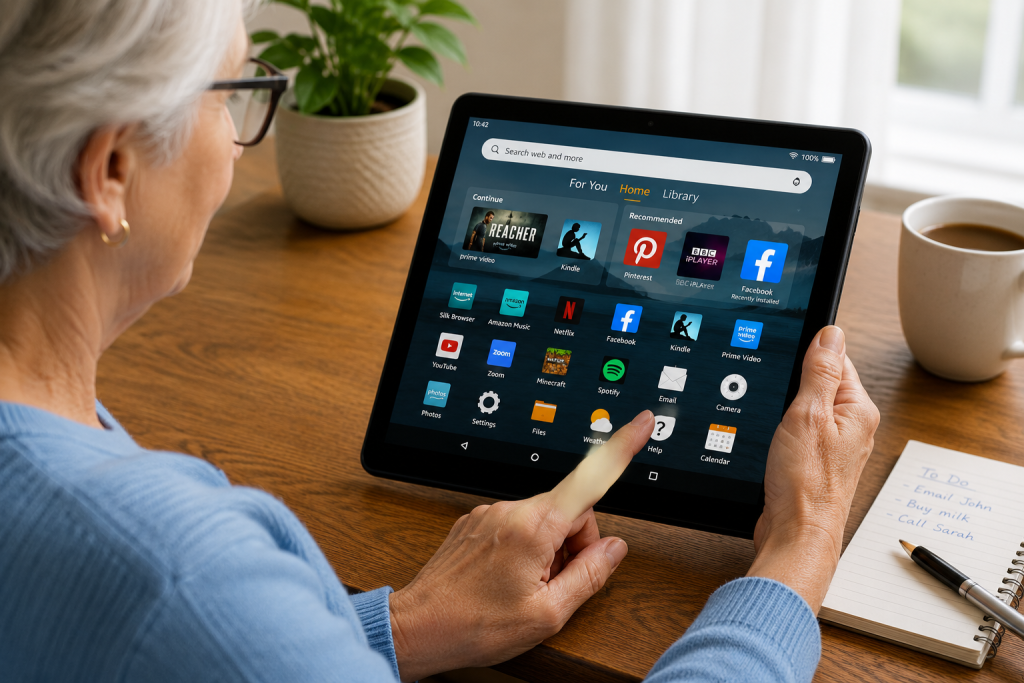
One of the reasons Fire Tablets are so popular is their simple design.
Everything is controlled by tapping the screen.
Large icons and clear menus make them suitable for people who aren’t confident with technology.
Advantages of an Amazon Fire Tablet
✅ Easy to use
✅ Affordable
✅ Lightweight
✅ Good battery life
✅ Great for reading
✅ Perfect for watching videos
✅ Excellent for emails and browsing
Things to Be Aware Of
Although Fire Tablets are excellent for many people, they do have some limitations.
- They are not as powerful as an iPad.
- Some Google apps aren’t available in the Amazon Appstore.
- They are best suited to everyday tasks rather than demanding work or professional editing.
Frequently Asked Questions
Is a Fire Tablet good for beginners?
Yes.
It is one of the easiest tablets to learn and is ideal for people new to touchscreen devices.
Can I use Facebook?
Yes.
Facebook is available through the Amazon Appstore.
Can I use YouTube?
Yes.
You can use YouTube through the app (where available) or by visiting the YouTube website in your browser.
Can I print from a Fire Tablet?
Yes.
Many wireless printers allow you to print directly from a Fire Tablet.
Is a Fire Tablet worth buying?
For reading, emails, internet browsing and watching videos, many people find it offers excellent value for money.
Final Thoughts
An Amazon Fire Tablet is a simple, affordable device that makes everyday technology easier to enjoy.
Whether you want to read books, browse the internet, send emails or watch your favourite TV programmes, it’s an excellent choice for beginners and older adults.
If you’re looking for a straightforward tablet without spending a fortune, an Amazon Fire Tablet is well worth considering.
Related Guides
📖 What Is a Kindle and How Does It Work?