
(Quick Guide)
This is a simple reminder guide.
You do not need to read everything at once.
Unlocking your phone is safe.
You cannot break anything by trying.
What Does “Unlocking” a Phone Mean?
When your phone is locked, you can’t use it yet.
Phones lock themselves to protect your information.
Unlocking simply lets you use your phone again.
Nothing is changed.
Nothing is deleted.
Step 1: Wake the Screen
First, make sure the screen is on.
You can:
- Press the power button once
- Or tap the screen (on some phones)
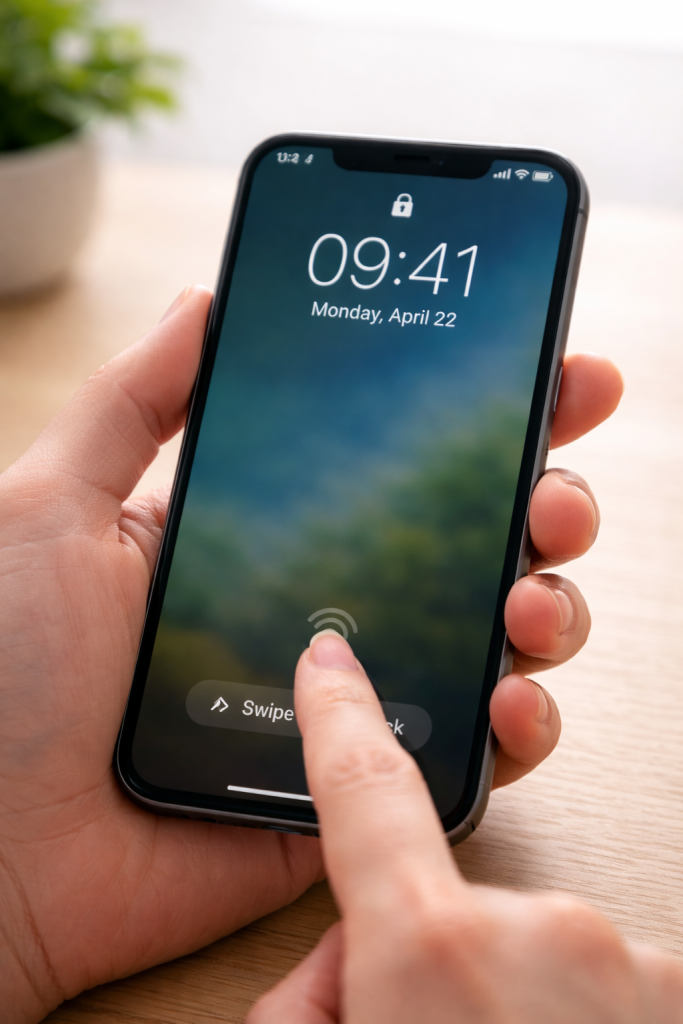
You should see the time and date.
Step 2: Look for the Lock Screen
When the phone is locked, you may see:
- The time and date
- A small lock symbol
- Words like “Swipe to unlock”
This means the phone is ready to be unlocked.
Step 3: Unlock the Phone
Most phones unlock in one of these ways:
- Swipe up on the screen
- Enter a PIN (a short number you chose)
- Use your fingerprint
- Use face recognition
If your phone asks for a PIN, carefully type it in.
Take your time.
If It Doesn’t Unlock Straight Away
This is normal.
Try:
- Swiping again, slowly
- Pressing the power button and trying again
- Cleaning your finger if using a fingerprint
If you’re unsure, it’s okay to stop and try later.
Nothing will break.
What to Do Next
If you’d like a fuller explanation, see our complete guide:
👉 How to Use a Smartphone for the First Time (Step by Step)
If you want to learn more at your own pace, visit:
👉 Smartphone Basics
Take Your Time
There is no rush when learning technology.
You don’t need to be confident.
You just need clear instructions.
You can always come back to this guide whenever you need.