
Smart plugs are one of the easiest ways to start using smart technology at home.
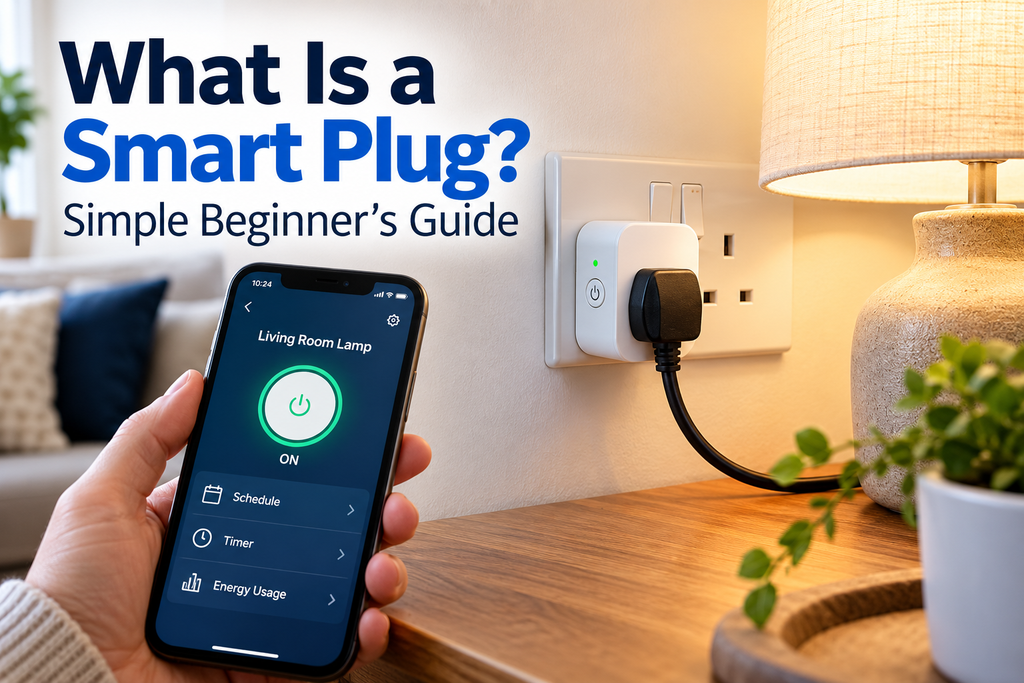
A smart plug fits into an ordinary wall socket. You then plug an electrical device — such as a lamp — into the smart plug.
Once it is set up, you can usually turn the power on and off from your phone, set automatic schedules and, with compatible equipment, use voice commands such as Alexa or Google Assistant. TP-Link
The idea might sound technical, but smart plugs are actually quite simple.
In this beginner’s guide, we’ll explain what a smart plug is, how it works, what you can use one for and how to get started.
Quick answer: A smart plug is an adapter that sits between your wall socket and an electrical device. It lets you control the electricity going to that device using an app, schedule or compatible voice assistant.
On This Page
- What is a smart plug?
- How does a smart plug work?
- What can you use a smart plug for?
- What can a smart plug do?
- Do smart plugs need Wi-Fi?
- Can you use a smart plug with Alexa?
- Do smart plugs save electricity?
- Are smart plugs safe?
- How do you set up a smart plug?
- Are smart plugs worth it?
- Frequently asked questions
What Is a Smart Plug?
A smart plug is a small device that plugs into a normal electrical socket.
Instead of plugging your lamp or other appliance directly into the wall, you plug it into the smart plug.
The smart plug can then control whether electricity is supplied to the appliance.
Think of it as a remotely controlled on/off switch between the wall socket and your appliance.
A simple example
Suppose you have a lamp in your living room.
Normally, you would:
Wall socket → Lamp
With a smart plug, it becomes:
Wall socket → Smart plug → Lamp
You can then use the smart plug’s app to turn the electricity to the lamp on or off.
Does a smart plug make an appliance smart?
Not exactly.
The smart plug controls the power supply. It doesn’t normally control the appliance itself.
For example, a smart plug may be able to switch a traditional lamp on and off, but it won’t suddenly allow you to change the lamp’s brightness or colour unless the lamp already supports those features.
How Does a Smart Plug Work?
Most smart plugs contain a wireless connection and an electronic switch.
You plug the smart plug into the wall and connect it to the manufacturer’s app on your smartphone.
Many popular Wi-Fi smart plugs connect directly to your home Wi-Fi network. Some smart-home systems use other wireless technologies or a hub instead.
Once connected, the app sends an instruction to the smart plug telling it whether to allow electricity through to the appliance.
So when you press Off in the app, the smart plug cuts the power.
Press On, and it restores it.
Some current plugs can also continue running locally stored schedules when the internet connection is unavailable, although this depends on the model. TP-Link
You don’t need to understand the technology
For most beginners, the important process is simply:
Plug it in → Install the app → Connect it → Control your appliance
You shouldn’t need to change complicated router settings for a normal installation.
What Can You Use a Smart Plug For?
Smart plugs work best with devices that can operate when their electricity supply is switched on.
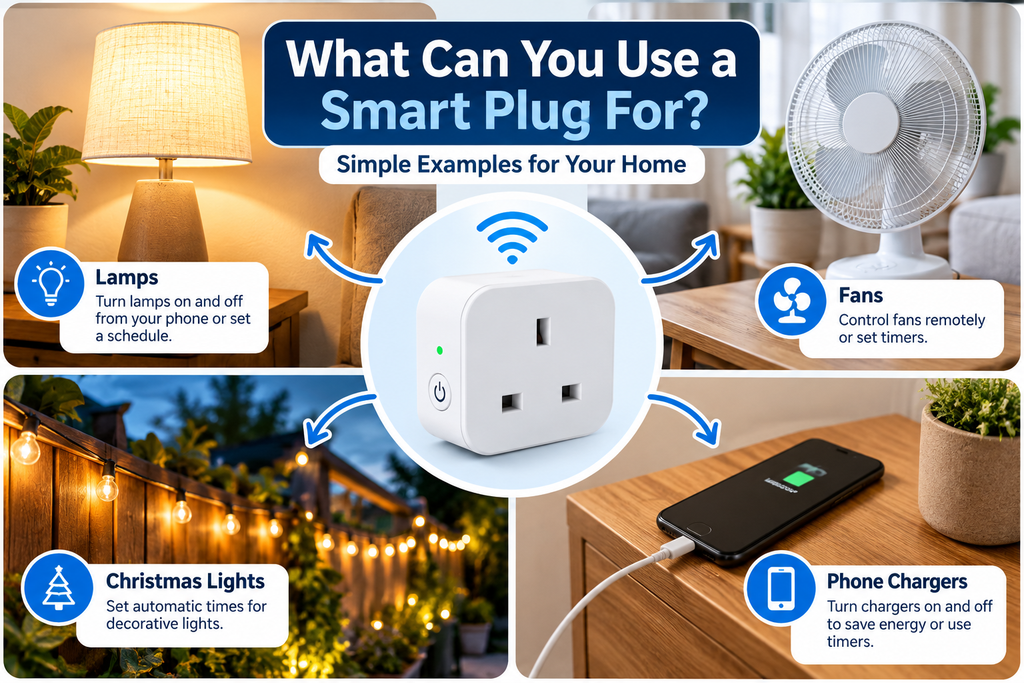
Common examples include:
- Table lamps
- Floor lamps
- Some fans
- Christmas lights
- Decorative lighting
- Some radios
- Certain coffee machines
- Chargers
- Other simple electrical appliances
One of the easiest first uses is a lamp.
You could set your living-room lamp to switch on automatically in the evening and turn off at bedtime.
Not every appliance is suitable
Some modern appliances have electronic controls and remain switched off when power is restored.
For example, if an appliance requires you to press its own power button every time, switching the smart plug on may not automatically start the appliance.
Always check the appliance and smart-plug instructions before using them together.
What Can a Smart Plug Do?
Features differ between models, but there are several common things smart plugs can do.
Turn appliances on and off from your phone
Instead of walking over to the socket, open the smart plug’s app and tap the on/off button.
Many models also support remote control while you’re away from home. TP-Link
Set a schedule
You can tell a smart plug to turn on or off at particular times.
For example:
Lamp ON: 6:00 pm
Lamp OFF: 11:00 pm
Current smart plugs commonly include schedules and timers. TP-Link
Use your voice
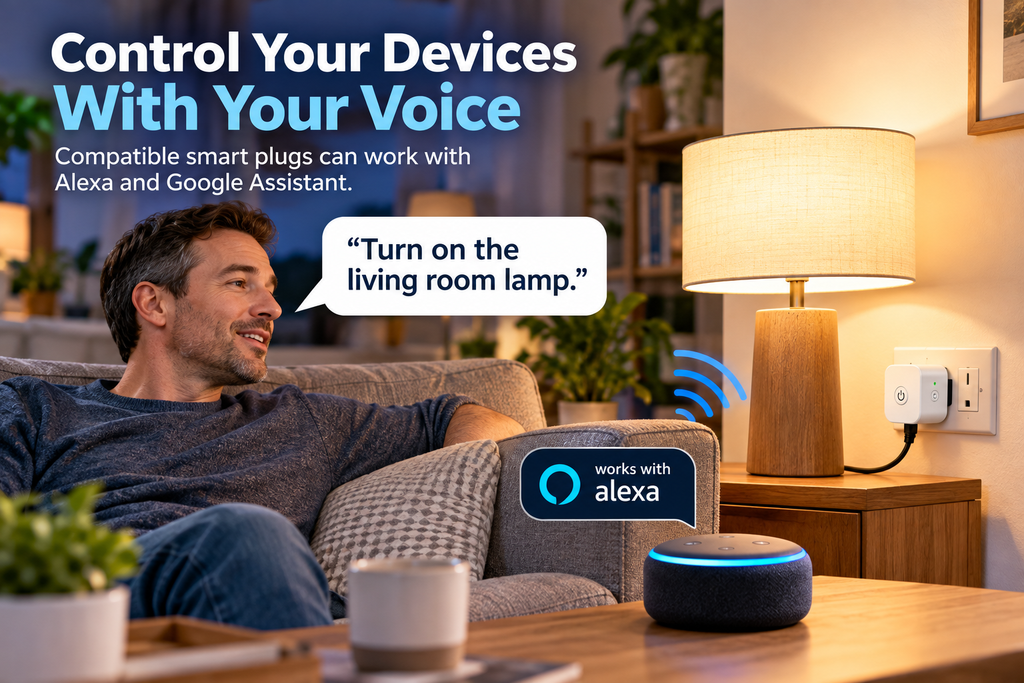
Compatible smart plugs can work with voice assistants such as Amazon Alexa or Google Assistant.
You could say:
“Alexa, turn on the living room lamp.”
The voice assistant then tells the smart plug to switch on.
Use timers
Some plugs allow you to set a countdown timer.
For example, you might tell the plug to switch off after an hour.
Monitor electricity use
Some — but not all — smart plugs include energy monitoring.
These models can show how much electricity the connected device is using. Some can display real-time consumption, usage history and estimated electricity costs. TP-Link
If this feature matters to you, look specifically for energy monitoring when choosing a plug.
Do Smart Plugs Need Wi-Fi?
Many smart plugs use your home’s Wi-Fi network, but not every smart plug works in exactly the same way.
A common requirement is 2.4 GHz Wi-Fi. For example, current Tapo Wi-Fi smart plugs specify 2.4 GHz connectivity. TP-Link
Don’t worry if you don’t know what 2.4 GHz means.
Many home broadband routers already provide it.
Other smart plugs can use different smart-home standards and may work through a compatible hub.
What happens if the internet goes down?
This depends on the plug.
Remote control from outside your home may stop working without an internet connection. However, some models can still be controlled locally and continue previously created schedules. TP-Link
Can You Use a Smart Plug With Alexa?
Yes — if the smart plug supports Alexa.
Many smart plugs can be linked to Amazon Alexa, allowing you to control them using an Echo speaker or another Alexa-enabled device.
The same applies to Google Assistant and some other smart-home platforms.
When buying a smart plug, check its compatibility rather than assuming every model works with every system.
You may see labels such as:
Works with Alexa
Works with Google Assistant
Matter
If you’re already using a particular smart-home system, choosing compatible devices makes things much easier.
Do Smart Plugs Save Electricity?
A smart plug doesn’t magically make an appliance use less electricity while that appliance is running.
However, it can help you control when something is switched on.
For example, you could automatically turn something off overnight instead of accidentally leaving it running.
Some smart plugs also show how much electricity a connected appliance is using, which can help you understand where energy is being consumed. TP-Link
Bear in mind that the smart plug itself also uses a small amount of electricity.
So think of a smart plug primarily as a control and convenience device, with possible energy-saving benefits depending on how you use it.
Are Smart Plugs Safe?
Smart plugs are designed to control electrical equipment, but you still need to use them correctly.
Check the maximum load
Every smart plug has a maximum electrical load.
Don’t connect an appliance that exceeds the plug’s rating.
For example, one current UK Tapo smart plug is rated for a maximum load of 13A/2990W, but ratings vary between products. TP-Link
Be particularly careful with high-powered appliances
Don’t assume that because an appliance physically fits into the smart plug, it is automatically suitable.
Check the manufacturer’s instructions before using smart plugs with high-powered or heat-producing appliances.
Don’t overload them
Avoid creating chains of adapters or overloaded extension leads.
TP-Link, for example, advises against plugging an extension lead or power strip into its smart plugs because of the potential overload risk. TP-Link
Buy an appropriate product
Choose a smart plug intended for use in the UK and follow both the smart-plug and appliance manufacturers’ safety instructions.
How Do You Set Up a Smart Plug?
The exact instructions depend on the brand, but the basic process is usually straightforward.
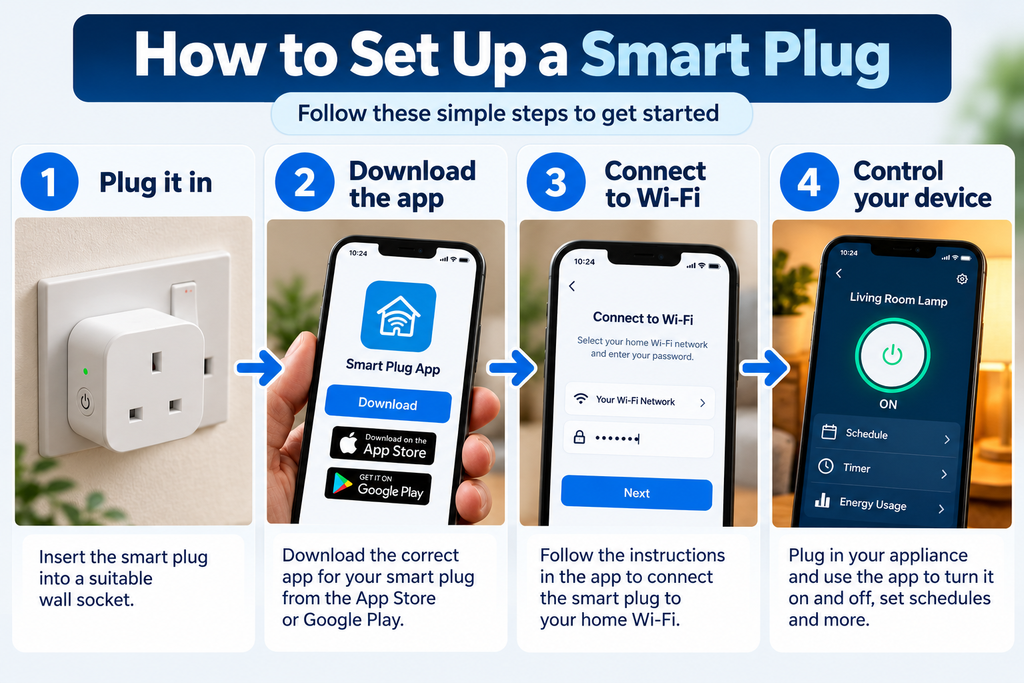
Step 1: Plug it in
Insert the smart plug into a suitable wall socket.
Step 2: Download its app
The packaging or instructions should tell you which app you need.
Install it on your smartphone.
Step 3: Add the smart plug
Open the app and choose the option to add a new device.
Step 4: Connect it
Follow the instructions on the screen.
For a Wi-Fi model, you’ll normally be asked to connect the plug to your home Wi-Fi.
Step 5: Give it a useful name
Choose something obvious, such as:
Living Room Lamp
rather than:
Smart Plug 1
This becomes particularly useful if you later have several smart devices.
Step 6: Test it
Plug in your appliance and try switching the smart plug on and off from the app.
That’s it.
A manufacturer’s setup procedure may contain a few additional steps, but this is the basic process. TP-Link
Are Smart Plugs Worth It?
For many beginners, a smart plug is one of the easiest smart-home devices to try.
You don’t need to replace your lamps or completely change your home.
You can start with one plug and one appliance.
They’re particularly useful if you want to:
- Control a lamp without reaching the switch
- Turn something off remotely
- Create automatic schedules
- Use voice controls
- Monitor electricity consumption on a compatible model
- Experiment with smart-home technology without changing much
If you decide you like using smart devices, you can gradually add more later.
If you’re completely new to connected devices, read our What Is a Smart Home? A Simple Beginner’s Guide next.
Frequently Asked Questions
What is the point of a smart plug?
A smart plug lets you control the electricity supplied to an appliance. Depending on the model, you may be able to control it from your phone, create schedules, use voice commands and monitor energy consumption.
Can I use a smart plug without Alexa?
Yes. You don’t need Alexa to use many smart plugs. They can normally be controlled through their own smartphone app.
Can I turn a smart plug on when I’m away from home?
Many Wi-Fi smart plugs support remote control through their app, provided the required internet/cloud connection is available. TP-Link
Do smart plugs work with any appliance?
No. The appliance needs to be suitable for this type of power switching and must remain within the smart plug’s electrical rating. Appliances with electronic power controls may also not automatically start when power is restored.
Do smart plugs use electricity when they’re off?
Yes, smart plugs require a small amount of electricity for their electronics and connectivity. The amount varies by model.
Can smart plugs monitor electricity usage?
Some can. Look for a model specifically advertising energy monitoring. These plugs may show current power use, historical consumption and estimated costs. TP-Link
Do I need a smart-home hub?
Not necessarily. Many Wi-Fi smart plugs connect directly to your router without a separate hub, although other smart-home systems may use one. TP-Link
Start Simple
You don’t need to turn your whole house into a smart home.
If you’re curious about smart technology, one smart plug and one lamp is a perfectly good place to start.
Set it up, try controlling it from your phone and experiment with a simple schedule.
Once you’re comfortable with that, other smart-home devices will make much more sense.
Related guides:
→ What Is a Smart Home? A Simple Beginner’s Guide
→ Smart Home Technology for Beginners
→ How to Set Up a Smart Plug
→ Smart Device Won’t Connect to Wi-Fi? Simple Fixes