
Before You Start
- Shutting down your computer the right way is important
- You will not break anything by following these steps
- Take your time and follow slowly
- These steps work for most Windows computers

Knowing how to shut down and restart a computer properly is important. Many beginners worry about doing this the wrong way or damaging the computer.
This guide explains how to shut down and restart a computer safely, step by step, using simple language.
You cannot harm your computer by following these steps.
Why Proper Shutdown Matters
Shutting down properly:
- Protects your computer
- Helps prevent problems
- Keeps programs working correctly
You should avoid:
- Turning the power off at the wall
- Unplugging the computer while it is on
Always use the shutdown option when possible.
How to Shut Down a Computer
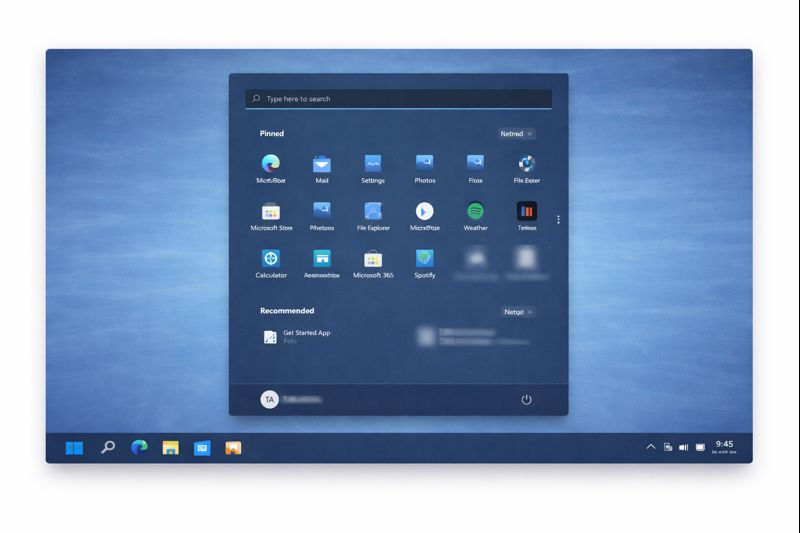
Follow these steps:
- Click the Start button
- Usually found in the bottom-left corner of the screen
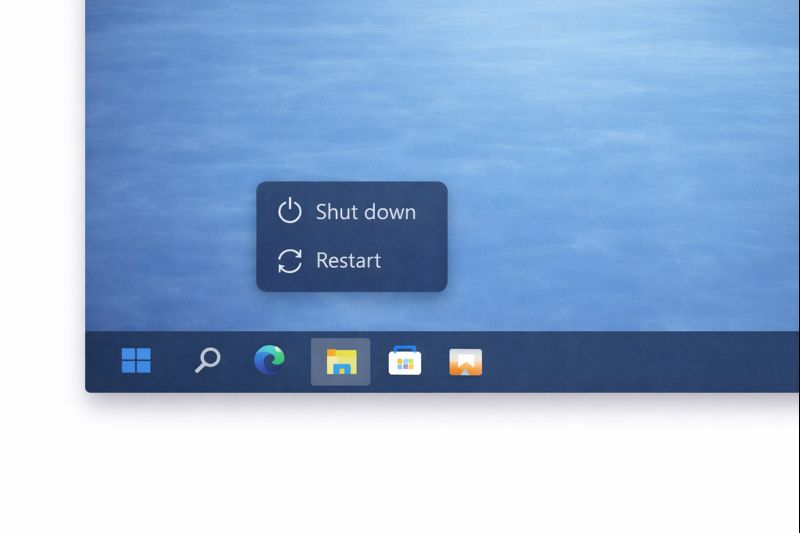
- Look for Power
- Click Shut down
- Wait patiently
The screen will go dark and the computer will turn off.
Do not press any buttons while this happens.
How to Restart a Computer
Restarting turns the computer off and then back on again.
You might restart if:
- Something is not working properly
- The computer feels slow
- A program will not respond
To restart:
- Click the Start button
- Click Power
- Choose Restart
- Wait until the computer turns back on
This can take a few minutes.
What If the Computer Seems Frozen?
If nothing responds:
- Wait a moment
- Try closing open programs first
If the computer still does not respond:
- Press and hold the power button for a few seconds
- Only do this if the normal shutdown does not work
This is safe as a last option.
Sleep vs Shut Down (Simple Explanation)
You may see options like:
- Sleep
- Shut down
Sleep:
- Uses very little power
- Starts quickly
- Keeps things ready
Shut down:
- Turns everything off completely
- Best if you won’t use the computer for a while
Either option is fine — shut down is safest for beginners.
Common Beginner Questions
“Will I lose anything?”
No, as long as your work is saved.
“How often should I shut down?”
At least once a day, or when you’re finished using the computer.
“Is restarting bad?”
No. Restarting can actually help fix problems.
Take Your Time
Shutting down and restarting are normal parts of using a computer.
You do not need to rush.
You are in control.
What to Learn Next
You have now covered the core computer basics.
You may want to revisit:
- Opening and closing programs
- How to find a file on your computer
- Computer basics for beginners
- Using the mouse and keyboard
Or return to the Computer Basics page to choose another guide when you feel ready.
Simple Tech Guide helps you feel confident using everyday technology, one clear step at a time.